Fugas tecnologicas
Fugas tecno-lógicas
Bibliobox.isla
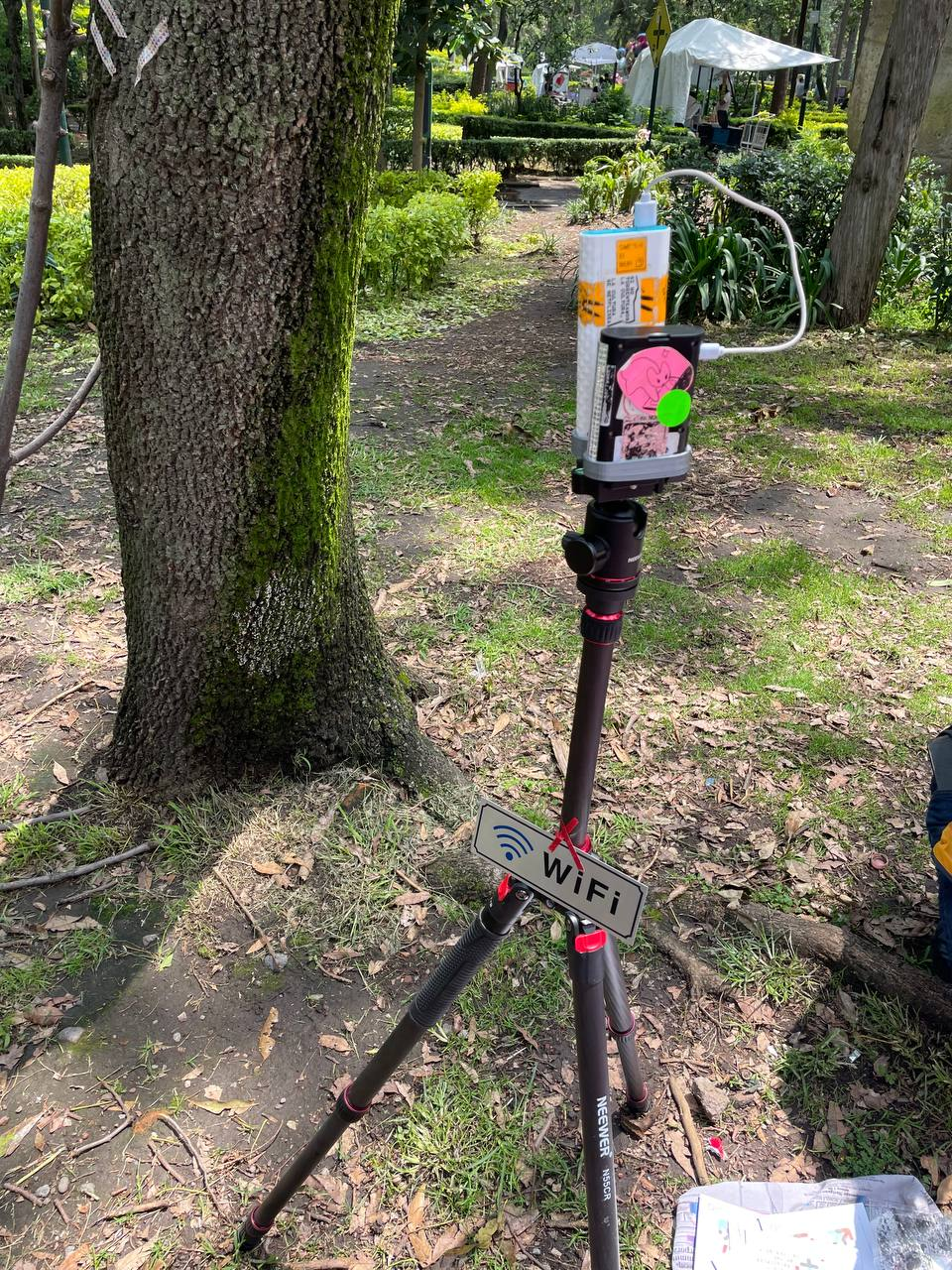
raspberrypi+cargador_portátil
log
2026.04.24
- dd imagen:
xzcat 2026-04-21-raspilsos-trixie-arm64-lite.img.xz | sudo dd of=/dev/mmcblk0 bs=4M status=progress conv=fsync
- en la partición boot > hacer antes de el primer inicio
echo "bibliobox:$(openssl passwd -6 bibliobox)" > userconf
touch ssh
-
buscar la raspi en el router o escanear sudo arp-scan 192.168.1.0/24 Interface: wlp3s0, type: EN10MB, MAC: 7e:6f:05:a7:ed:80, IPv4: 192.168.1.49 Starting arp-scan 1.10.0 with 256 hosts (https://github.com/royhills/arp-scan) 192.168.1.1 2c:96:82:2b:58:44 (Unknown) 192.168.1.34 ec:2e:98:da:ee:b3 AzureWave Technology Inc. 192.168.1.48 a8:64:f1:f8:e2:1a Intel Corporate 192.168.1.50 ba:99:77:e5:86:0e (Unknown: locally administered) 192.168.1.51 e0:99:71:af:0e:4d Samsung Electronics Co.,Ltd 192.168.1.41 36:0e:52:19:9a:7a (Unknown: locally administered) 192.168.1.37 94:db:c9:f7:2b:ae AzureWave Technology Inc. 192.168.1.64 40:e2:30:f7:bd:15 AzureWave Technology Inc.
-
detectar en nnuestro router que ip nos asigno para la rpi
por ej: ssh bibliobox@192.168.1.103
- hotspot.sh
1
2
3
4
5
6
7
8
9
10
11
12
13
14
15
16
17
18
19
20
21
22
23
24
25
26
27
28
29
30
31
32
33
34
35
36
37
38
39
40
41
42
43
44
45
46
47
48
49
50
51
52
53
54
55
56
57
58
59
60
61
62
63
64
65
66
67
68
69
70
71
72
73
74
75
76
77
78
79
80
81
82
83
84
85
86
87
88
89
90
91
92
93
94
95
96
97
98
99
100
101
102
103
104
105
106
107
108
109
110
111
112
113
114
115
116
117
118
119
120
121
122
123
124
125
126
127
128
129
130
131
132
133
134
135
136
137
138
139
140
141
142
143
144
145
146
147
148
149
150
151
152
153
154
155
156
157
158
159
160
161
162
163
164
165
166
167
168
169
170
171
172
173
174
175
176
177
178
179
180
181
182
183
184
185
186
187
188
189
190
191
192
193
194
195
196
197
198
199
200
201
202
203
204
205
206
207
208
209
210
211
212
213
214
215
216
217
#!/bin/bash

set -e

SSID="Bibliobox"
IP="192.168.4.1"
SUBNET="24"
DHCP_RANGE_START="192.168.4.10"
DHCP_RANGE_END="192.168.4.100"
INTERFACE="wlan0"
SITE_PATH="/srv/bibliobox.isla"

log() { echo "[setup] $1"; }

# 1. Instalar paquetes
log "Instalando paquetes"
apt update
apt install -y hostapd dnsmasq nginx rfkill git build-essential libmicrohttpd-dev libjson-c-dev dhcpcd5

# 2. Detener servicios
log "Deteniendo servicios"
systemctl stop hostapd dnsmasq nginx nodogsplash 2>/dev/null || true

# 3. Desactivar wpa_supplicant
log "Desactivando wpa_supplicant"
systemctl disable wpa_supplicant 2>/dev/null || true
systemctl stop wpa_supplicant 2>/dev/null || true

# 4. Desbloquear WiFi
if rfkill list wifi | grep -q "Soft blocked: yes"; then
    log "Desbloqueando WiFi"
    rfkill unblock wifi
fi

# 5. País WiFi (clave)
log "Configurando país WiFi"
iw reg set AR || true

# 6. IP estática
if ! grep -q "$IP" /etc/dhcpcd.conf 2>/dev/null; then
    log "Configurando IP estática"
    cat <<EOF >> /etc/dhcpcd.conf

interface $INTERFACE
static ip_address=$IP/$SUBNET
nohook wpa_supplicant
EOF
fi

# 7. Forwarding (clave para portal)
if ! grep -q "net.ipv4.ip_forward=1" /etc/sysctl.conf; then
    log "Activando IP forwarding"
    echo "net.ipv4.ip_forward=1" >> /etc/sysctl.conf
    sysctl -p
fi

# 8. hostapd
log "Configurando hostapd"
cat <<EOF > /etc/hostapd/hostapd.conf
interface=$INTERFACE
driver=nl80211
ssid=$SSID
hw_mode=g
channel=6
auth_algs=1
ignore_broadcast_ssid=0
EOF

sed -i 's|^#DAEMON_CONF=.*|DAEMON_CONF="/etc/hostapd/hostapd.conf"|' /etc/default/hostapd 2>/dev/null || \
echo 'DAEMON_CONF="/etc/hostapd/hostapd.conf"' >> /etc/default/hostapd

# 9. Servicio wlan0-up (reemplazo de rc.local)
log "Creando servicio wlan0-up"
cat <<EOF > /etc/systemd/system/wlan0-up.service
[Unit]
Description=Levantar wlan0
Before=hostapd.service

[Service]
Type=oneshot
ExecStart=/sbin/ip link set $INTERFACE up

[Install]
WantedBy=multi-user.target
EOF

systemctl enable wlan0-up

# 10. dnsmasq
if [ ! -f /etc/dnsmasq.conf.bak ]; then
    log "Configurando dnsmasq"
    mv /etc/dnsmasq.conf /etc/dnsmasq.conf.bak 2>/dev/null || true

    cat <<EOF > /etc/dnsmasq.conf
interface=$INTERFACE
dhcp-range=$DHCP_RANGE_START,$DHCP_RANGE_END,255.255.255.0,12h
address=/#/$IP
EOF
fi

# 11. nginx
log "Configurando nginx"
rm -f /etc/nginx/sites-enabled/default

cat <<EOF > /etc/nginx/sites-available/bibliobox
server {
    listen 80 default_server;
    server_name _;
    root $SITE_PATH;
    index index.html;

    location / {
        try_files \$uri /index.html;
    }
}
EOF

ln -sf /etc/nginx/sites-available/bibliobox /etc/nginx/sites-enabled/bibliobox

# 12. instalar nodogsplash
if ! command -v nodogsplash >/dev/null; then
    log "Instalando Nodogsplash"
    cd /tmp
    rm -rf nodogsplash
    git clone https://github.com/nodogsplash/nodogsplash.git
    cd nodogsplash
    make
    make install
fi

# 13. servicio nodogsplash (orden corregido)
log "Configurando servicio nodogsplash"
cat <<EOF > /etc/systemd/system/nodogsplash.service
[Unit]
Description=Nodogsplash Captive Portal
After=hostapd.service dnsmasq.service
Wants=hostapd.service dnsmasq.service

[Service]
ExecStart=/usr/local/bin/nodogsplash -f
Restart=always

[Install]
WantedBy=multi-user.target
EOF

systemctl daemon-reexec

# 13.1 log "Creando servicio rfkill-unblock (fix WiFi bloqueado)"

cat <<EOF > /etc/systemd/system/rfkill-unblock.service
[Unit]
Description=Unblock WiFi
Before=hostapd.service

[Service]
Type=oneshot
ExecStart=/bin/sh -c "sleep 2 && rfkill unblock wifi"

[Install]
WantedBy=multi-user.target
EOF

systemctl enable rfkill-unblock

# 14. config nodogsplash
if [ ! -f /etc/nodogsplash/nodogsplash.conf ]; then
    log "Configurando nodogsplash"
    mkdir -p /etc/nodogsplash

    cat <<EOF > /etc/nodogsplash/nodogsplash.conf
GatewayInterface $INTERFACE
GatewayAddress $IP
MaxClients 100

SplashPage none
AuthenticateImmediately yes
RedirectURL http://$IP/

FirewallRuleSet authenticated-users {
    FirewallRule allow all
}

FirewallRuleSet preauthenticated-users {
    FirewallRule allow tcp port 80
    FirewallRule allow tcp port 443
    FirewallRule allow udp port 53
}
EOF
fi

# 15. sitio
log "Preparando sitio"
mkdir -p $SITE_PATH

if [ ! -f "$SITE_PATH/index.html" ]; then
cat <<EOF > $SITE_PATH/index.html
<h1 style="text-align:center;">Biblioteca en proceso de creación</h1>
EOF
fi

# 16. habilitar servicios
log "Habilitando servicios"
systemctl unmask hostapd
systemctl enable hostapd dnsmasq nginx nodogsplash

# 17. reiniciar
log "Reiniciando servicios"
systemctl restart dhcpcd || true
systemctl restart dnsmasq
systemctl restart hostapd
systemctl restart nginx
systemctl restart nodogsplash

log "Sistema listo"
log "WiFi: $SSID"
log "Portal: http://$IP/"
- copiar con rsync nuestro sitio compilado
rsync -avHAX --progress bibliobox.sila/ bibliobox@192.168.1.103:/srv/bibliobox.isla
2026.07.10
- clonar el repo de la plantilla de biblioteca hecha con sutty.coop.ar e instalar con docker para poder compilar jekyll.
/srv/
│
├── bibliobox-src/              <- repositorio Jekyll (git)
│   ├── _config.yml
│   ├── _posts/
│   ├── assets/
│   ├── Gemfile
│   └── _site/                  <- generado por Jekyll
│
└── bibliobox.isla/             <- lo que nginx sirve
    ├── index.html
    ├── assets/
    └── ...
1
2
3
4
5
6
7
8
9
10
11
12
13
14
15
16
17
18
19
20
21
22
23
24
25
26
27
28
29
30
31
32
33
34
35
36
37
38
39
40
41
42
43
44
45
46
47
48
49
50
51
52
53
54
55
56
57
58
59
60
61
62
63
64
65
66
67
68
69
70
71
72
73
74
75
76
77
78
79
80
81
82
83
84
85
86
87
88
89
90
91
92
93
94
95
96
97
98
99
100
101
102
103
104
105
106
107
108
109
110
111
112
113
114
115
116
117
118
#!/bin/bash

set -e


# Configuración


REPO_URL="https://gitlab.com/librenauta/bibliobox-jekyll-theme.git"
SRC="/srv/bibliobox-src"
SITE="/srv/bibliobox.isla"

log() {
    echo "[bibliobox] $1"
}

# 1. Dependencias

log "Instalando dependencias"
apt update
apt install -y \
    git \
    docker.io \
    docker-compose-plugin \

systemctl enable docker
systemctl start docker

# 2. Crear estructura

log "Creando estructura"
mkdir -p /srv
mkdir -p "$SITE"

# 3. Clonar repositorio

if [ ! -d "$SRC/.git" ]; then
    log "Clonando repositorio Jekyll"
    git clone "$REPO_URL" "$SRC"
else
    log "Repositorio ya existe"
fi

# 4. Docker compose Jekyll

log "Configurando Jekyll"
cat > "$SRC/docker-compose.yml" <<EOF
services:
  jekyll:
    image: jekyll/jekyll:4
    container_name: bibliobox-jekyll
    working_dir: /srv/jekyll
    volumes:
      - .:/srv/jekyll
      - $SITE:/srv/output

    command: >
      bash -c "
      bundle install &&
      jekyll build --destination /srv/output
      "
EOF

# 5. Primera compilación

log "Compilando sitio"
cd "$SRC"
docker compose run --rm jekyll

# 6. Servicio de compilación


log "Creando servicio systemd"
cat > /etc/systemd/system/bibliobox-build.service <<EOF
[Unit]
Description=Build Bibliobox Jekyll
After=docker.service
Requires=docker.service

[Service]
Type=oneshot
WorkingDirectory=$SRC
ExecStart=/usr/bin/docker compose run --rm jekyll

[Install]
WantedBy=multi-user.target

EOF

systemctl daemon-reload
systemctl enable bibliobox-build.service

# 8. Script de actualización

log "Creando comando update"
cat > /usr/local/bin/bibliobox-update <<EOF
#!/bin/bash
set -e
cd $SRC
git pull
docker compose run --rm jekyll

EOF

chmod +x /usr/local/bin/bibliobox-update

# Final

log "Instalación completa"

echo "Repositorio:"
echo " $SRC"
echo "Sitio nginx:"
echo " $SITE"
echo "Actualizar manualmente:"
echo "bibliobox-update"
echo "Compilar:"
echo " cd $SRC && docker compose run --rm jekyll"